BYOK Native macOS AI Client: Connect Your Own Models and API Keys
SpotAsk is built on a Bring-Your-Own-Key (BYOK) architecture, connecting directly to your own API keys or locally hosted models.
Requests travel directly to your provider's official endpoints with zero proxy servers in between, no user accounts, and billing governed solely by your chosen provider and actual compute usage.
Core Capabilities
- Multi-Provider & Protocol Support: Native support for OpenAI-compatible endpoints, Anthropic Messages API, and Google Gemini REST API, switchable via the model picker in the composer.
- Direct Communication & Local Credential Storage: Requests are dispatched directly to provider endpoints without intermediate relay servers. API access keys are stored in a local credentials file restricted to the current user (
0600); the current implementation does not use Keychain. - Local Offline Model Execution: Built-in support for loopback services like Ollama or LM Studio, allowing full offline operation when traveling or disconnected.
3-Step Quick Start
- Open Services Settings: Launch SpotAsk, press ⌘ + , to open Settings, and select the Services tab.
- Configure Provider & Key: Click "Add Service", select your API format, enter your endpoint address, access key, and model ID, then click "Test Connection".
- Select Model & Ask: Summon SpotAsk using your global hotkey, pick your configured service from the top model picker, and start asking.
Visual Demo
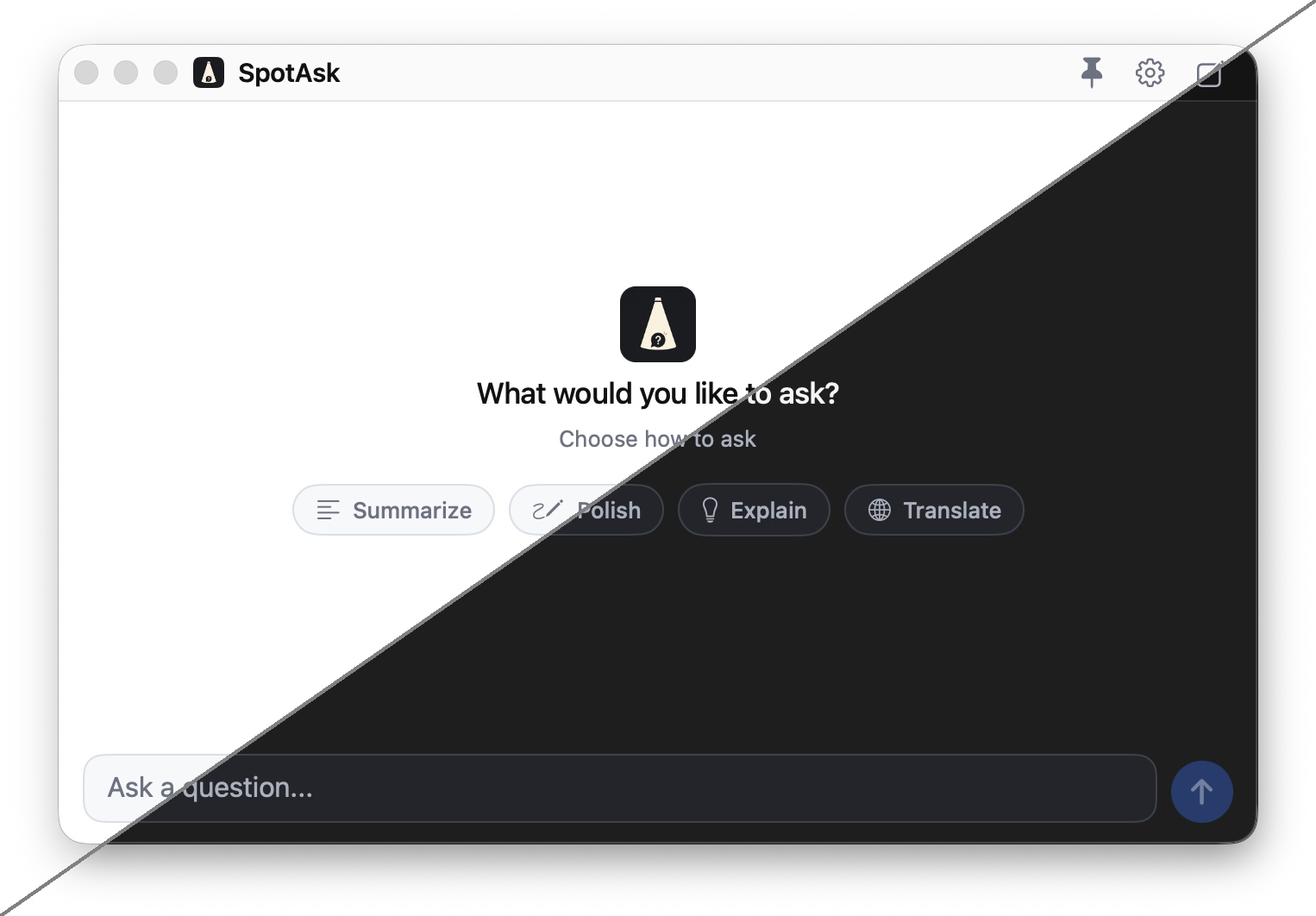 Figure 1: SpotAsk floating conversation window displaying on-the-fly model selection across configured BYOK providers.
Verified Boundaries & Practical Notes
- Provider Account Required: SpotAsk is a BYOK client and does not sell or distribute API credits. You supply your own API key from OpenAI, Anthropic, Google, or host a local model like Ollama.
- Billing & Quotas: Compute costs are billed directly by your model provider based on your actual token usage; rate limits and concurrency limits are governed by your provider account tier.
- Service Address Formatting: OpenAI-compatible services distinguish between a Service Root (
https://api.openai.com/v1) and a Full Request Address (https://api.openai.com/v1/chat/completions). See our documentation for endpoint conventions.
Download SpotAsk
Download the latest DMG from GitHub Releases (Apple Silicon and Intel supported), or install via Homebrew:
sh
brew tap shiquda/spotask https://github.com/shiquda/SpotAsk
brew install --cask shiquda/spotask/spotask
Related Guides
- Connect an OpenAI-Compatible Service — Setup for OpenAI, DeepSeek, and Groq.
- Connect Anthropic — Claude API keys and streaming configuration.
- Service Root vs Full Request Address — Endpoint URL guidelines.
- Zero-Telemetry Privacy Architecture — Credential storage and data routing.